Chroma Hills
128xRPG-inspired medieval pack with saturated colors. Combines high-resolution detail with a slightly stylized medieval look for adventure maps.
Details
- Creator
- SycloneSJS
- Resolution
- 128x
- Category
- Medieval
- Compatibility
- Java Edition
- Performance Impact
- Medium
- File Size
- 134.2 MB
- Last Updated
- 2024-09-15
Features
- RPG style
- Saturated colors
- Custom paintings
- HD details
- Adventure-ready
Supported Versions
Tags
About Chroma Hills
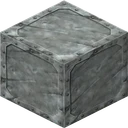
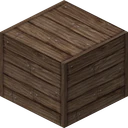
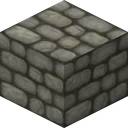
A medieval pack at 128x, Chroma Hills is the work of SycloneSJS. In Chroma Hills the default art gives way to rugged, hand-worn stone and timber suited to castles, keeps, and old-world towns, and Chroma Hills's worlds take on a rustic, lived-in fantasy atmosphere. Ultra resolution means every surface of Chroma Hills carries far more information than the game was designed around, and it expects a capable GPU in return.
Pick it up and you get a pack that carries an adventure and RPG flavour, uses a vivid, colourful palette, and boosts colour saturation for a punchy look. Out in Chroma Hills's world cobblestone, bricks, wood, and thatch are reworked into weathered, kingdom-ready building materials. Nothing in Chroma Hills is left on the vanilla sheet, near or far.
Chroma Hills makes Java Edition the target, covering the 1.18 to 1.20 range. Budget 134.2 MB of disk and medium impact in play. It is aimed at builders who want the world to match their work.
Each block face carries 16384 pixels against vanilla's 256, roughly 64 times the detail to work with. That works out at 3 game versions for Chroma Hills, with 2024-09-15 the latest entry on our side.
What Chroma Hills changes
Installing Chroma Hills moves you to 128x textures. The concrete differences:
- The grid moves up to 128x, giving each surface far more room for detail than vanilla allows.
- RPG style: contributes to Chroma Hills's distinctive medieval style across the world.
- Saturated colors: shifts the colour palette to set the pack's signature tone.
- Custom paintings: redraws the paintings to fit the medieval theme.
- HD details: raises the level of fine detail you see up close on every surface.
- The art brief in one line: cobblestone, bricks, wood, and thatch are reworked into weathered, kingdom-ready building materials.
How to install Chroma Hills (Java Edition)
- 1Drop the Chroma Hills .zip (134.2 MB) from above into your resource packs folder (Options, Resource Packs, Open Pack Folder) and move it into the selected column.
Want the full walkthrough for installing Chroma Hills? See our complete install guide.
Performance & requirements
Chroma Hills's high resolution puts real weight on your GPU and VRAM, and it is at its best on a dedicated card with several gigabytes to spare, paired with shaders rather than run alone on entry-level hardware.
It covers Minecraft 1.18 up to 1.20, so aim for that top version on Java; earlier worlds tend to load it fine regardless.
Shaders bring out what Chroma Hills is designed for, at the cost of roughly double the GPU demand; a card with 4 GB of VRAM handles the combination.
Chroma Hills covers 838 blocks, at six different sizes
838 block textures are Chroma Hills and 431 are the game's. What it leaves out is doors, shelves, signs and most bamboo parts, a set of gaps you notice indoors more than outdoors, which suits a pack built for landscape.
Its sizes are the least uniform of any pack measured here. 815 textures are the 128 pixels the pack is sold at, but 14 are 16, three are 256, three are 64, one is 192 and one is a stray 120. Brightness sits 29.4 points above the originals with colours 5.6 points closer together, and 154 files are its own additions.
Chroma Hills FAQ
Is Chroma Hills free to download?
Yes, Chroma Hills is free, and SycloneSJS charges nothing for it. 134.2 MB is the whole Chroma Hills download. 128x textures are what Chroma Hills delivers, plus September 2024 is the Chroma Hills revision behind that button.
Which Minecraft versions does Chroma Hills support?
SycloneSJS names 3 for Chroma Hills: 1.18, 1.19, 1.20. 1.20 is where Chroma Hills stops, and 1.18 is the oldest Chroma Hills names, plus September 2024 is when SycloneSJS last stamped the Chroma Hills list.
How much detail does Chroma Hills add?
16384 pixels fill one Chroma Hills face, against 256 in vanilla. 128x is SycloneSJS's shorthand for 16384 exactly. 134.2 MB is what Chroma Hills weighs on disk.
What hardware does Chroma Hills want?
Chroma Hills wants a discrete card, 4 GB of video memory before Chroma Hills is comfortable. SycloneSJS puts Chroma Hills at medium impact, plus 134.2 MB lands on disk before Chroma Hills loads. A shader pack over Chroma Hills raises that again.
What does Chroma Hills actually include?
SycloneSJS lists 5 things for Chroma Hills: RPG style, saturated colors, custom paintings, HD details and adventure-ready, plus SycloneSJS calls Chroma Hills medieval, tagged rpg, colorful, adventure.
How do I install Chroma Hills?
Drop the Chroma Hills zip into resourcepacks, unchanged. Leave Chroma Hills zipped: Minecraft reads Chroma Hills packed. 134.2 MB loads exactly as SycloneSJS packed it, and 1.20 is the newest Chroma Hills build SycloneSJS names.
How big is the Chroma Hills download?
134.2 MB, the way SycloneSJS packages Chroma Hills. 128x artwork fills the Chroma Hills archive. 16384 pixels per Chroma Hills face explain the rest, and September 2024 is when Chroma Hills last grew larger.
Who makes Chroma Hills?
SycloneSJS does. Every 128x texture in Chroma Hills is theirs alone. September 2024 is SycloneSJS's latest pass over Chroma Hills. 1.18 through 1.20, 3 Chroma Hills versions in all.
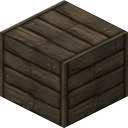
What is Chroma Hills best at?
Chroma Hills is medieval, tagged rpg, colorful, adventure by SycloneSJS, plus 5 Chroma Hills features are named, RPG style first. SycloneSJS holds Chroma Hills from 1.18 to 1.20. 16384 pixels keep Chroma Hills sharp up close.
More Medieval Packs
John Smith Legacy redraws Minecraft as worn stone and timber, with random mob textures so no two zombies match and CTM support throughout.
Dokucraft actually ships as three separate looks in one download, from bright to the dark variant this listing covers, each with its own animated textures.
Conquest leans on connected textures so heavily that walls and floors read as continuous stonework, not tiled blocks, with 3D models and custom sounds added on.
Mythic goes gritty on purpose: worn stone, dim tones, and mobs redrawn for dungeons rather than daylight, with detail built for close-up gritty texture work.